Markdown that reads like prose.
Formatting markers step out of the way as you leave a line and return when you edit it. Read the piece, not a wall of punctuation.
YOUR WORDS ARE NOT DISPOSABLE.
Draft-first protection. Fluid native writing and reading. Cloud copies encrypted on your device when you choose vault mode. Built so you can think about the next sentence, not worry about the last.
iPhone & iPad Mac
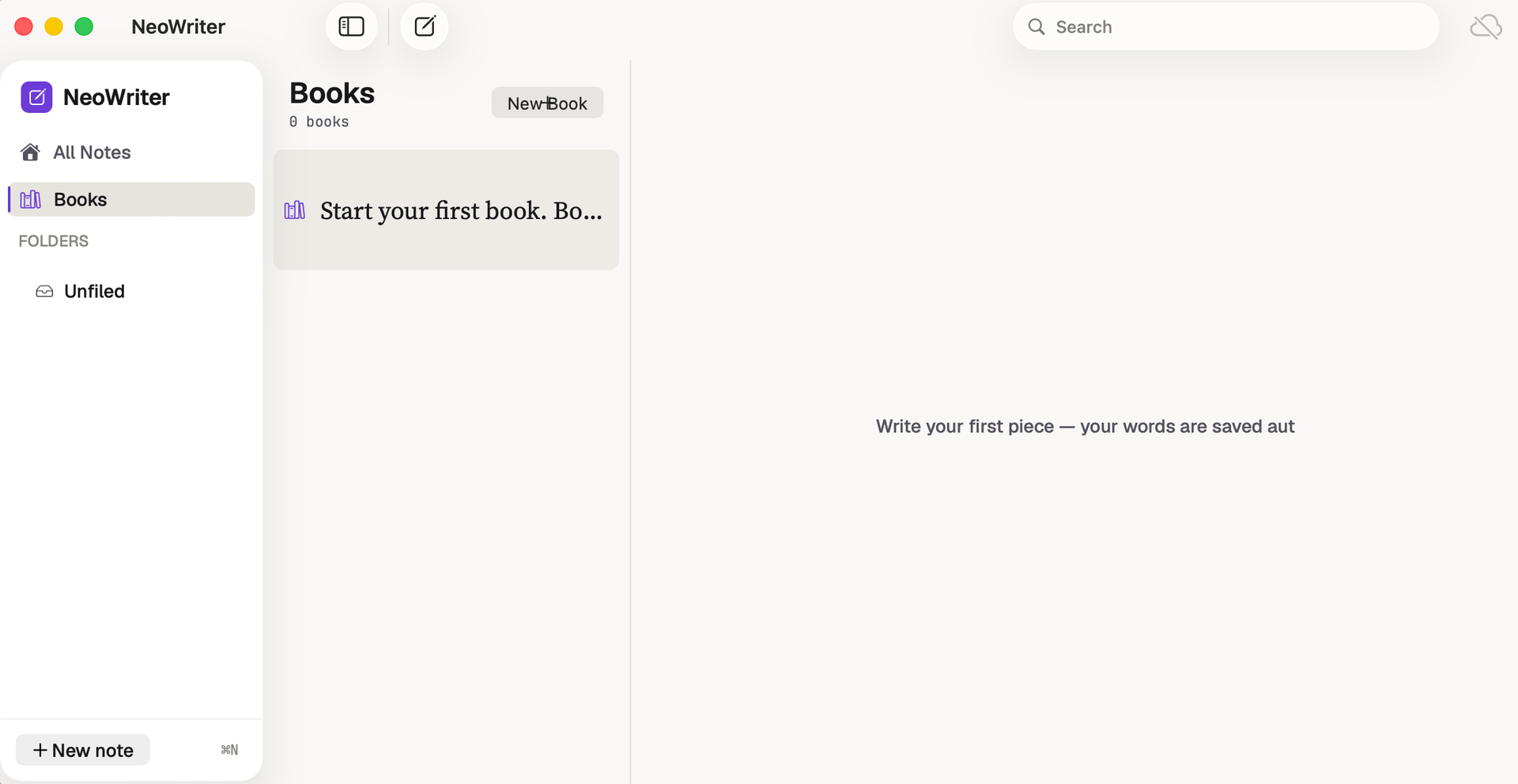
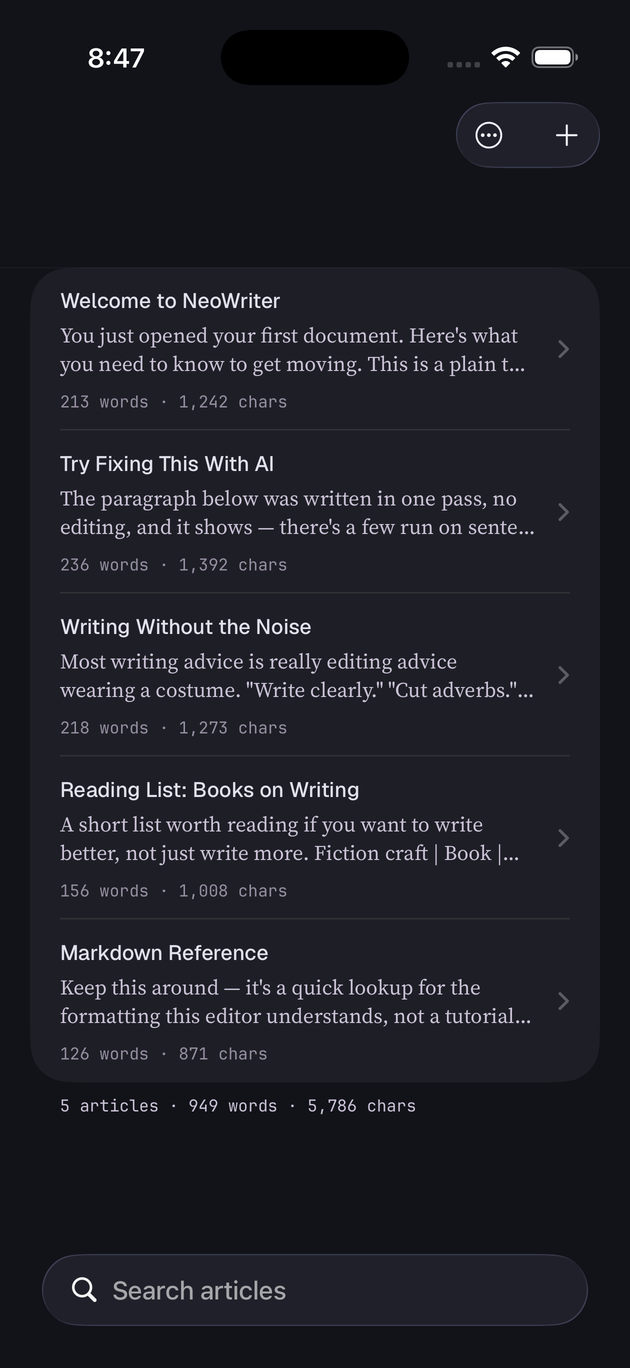
01 / YOUR DRAFT COMES FIRST
An interruption. An accidental deletion. Two devices with different edits. NeoWriter is built around keeping the words, not making you start again.
Protection is a stack, not a single Save button: local autosave, recoverable versions, Trash, backups, and a deliberate keep-both approach to conflicting changes.
Know your recovery pathsDraft changes autosave locally. A network connection is not a prerequisite for keeping your work.
Version history gives earlier words a place to live. Restoring a revision first protects the current draft.
Conflicting edits become something you can review, not permission to silently overwrite your text.
Trash and validated backup restoration add recovery paths beyond a single working copy.
02 / LESS FRICTION. MORE FLOW.
Writing should feel immediate. Reading should keep its rhythm. Native editing, responsive Markdown, and a focused reading view put the experience ahead of the feature count.
60 / 120 HZ ENGINEERING TARGETS
Input, scrolling, selection, and reading belong in the foreground. Expensive analysis and backup work should not stand between you and the next line.
Engineering targets, not measured pass results. 120 Hz requires supported ProMotion hardware; actual performance varies with the system and the work on the page.
Formatting markers step out of the way as you leave a line and return when you edit it. Read the piece, not a wall of punctuation.
Native text editing, focus and typewriter modes, keyboard-friendly controls, and typography you can make your own. Less friction between an idea and the page.
Move through your work with folders, search, and an outline. Switch into local reading mode when it is time to hear the rhythm of the whole piece.
03 / PRIVATE COPIES, EVEN IN YOUR CLOUD
Choose encrypted vault mode for a cloud-drive connection. Article content, images, and the vault index are encrypted on your device with AES-256-GCM before upload.
The remote gets encrypted objects under opaque filenames, not readable Markdown named after your chapters. A vault error is not permission to silently switch that connection to plaintext.
Understand the protectionWHEN ENCRYPTED VAULT MODE IS SELECTED
File sizes, counts, dates, and access patterns can still be visible. Readable sync and Apple's iCloud protections are separate modes, not this vault encryption.
An encrypted .nwbackup is sealed before it reaches your chosen backup folder. A cloud-watched destination does not first receive a temporary plaintext snapshot.
Losing a vault passphrase does not encrypt or erase your existing local working library. Protect your recovery material: the developer cannot recover the secret for you.
BEFORE YOU SETTLE IN
Writing comes first. It is built for essays, journals, stories, notes, and longer manuscripts, with books and folders to keep the work organized. Plain text and Markdown remain at the center.
Yes. Your working library is stored locally, so writing does not depend on a connection. Sync and external AI features need a connection when you choose to use them.
Draft preservation is the central design rule: local autosave, version snapshots, Trash, independent backups, and conflict-preserving sync work together. Restoring an earlier revision preserves the current draft first. This is layered protection, not a guarantee against every device failure or user action. Keep independent backups of important writing.
The sync design preserves conflicting edits rather than silently replacing your work. A conflict copy gives you a way to inspect the other version and decide what to keep.
No. These are engineering targets: a 16.67 ms frame budget for 60 Hz displays and an 8.33 ms budget for supported 120 Hz ProMotion displays. They are not published pass results for every device or document. Actual performance depends on hardware, system refresh-rate settings, document complexity, and the scenario; performance work and device measurements are ongoing.
In encrypted vault mode, article content, images, and the index are encrypted on your device with AES-256-GCM, and remote object filenames are opaque. Reading that protected content requires valid key material. File sizes, counts, dates, and access patterns can still be visible. Readable sync mode, ordinary exports, and Apple's iCloud protections are separate; do not assume every cloud copy uses NeoWriter's vault encryption.
The vault protects a remote copy; it does not encrypt or erase your local working library with that passphrase. An intact local copy remains available independently of the vault credential. Access to encrypted copies may still require a recovery key, an authorized device's cached key, or the passphrase. Protect your recovery material: the developer cannot recover it for you.
No. A new encrypted vault uses a separate, empty remote folder. Previously uploaded plaintext files and provider-held versions are not automatically erased. Preserve a verified backup, make sure the new vault is usable, and then manage unwanted old copies at their original destination.
No. AI writing actions are optional. The action and its displayed scope determine what is shared: selected text, a paragraph or section, an article, or text before the cursor. Review the actual scope, recipient, and request details before sending; the provider's own data policies apply. The Privacy Policy explains these boundaries in full.
NeoWriter is not yet listed on the App Store. Visit Support or contact Genjux for release information. This page does not offer a store purchase or promise a release date.
PROTECT THE DRAFT. ENJOY THE WRITING.
Your words deserve a thoughtful place to land.
Ask about NeoWriter, release information, or support.